Build a home office that doesn't drain you (light, noise, smell)
Working from home sounds ideal - no open-plan chaos, no fluorescent lights buzzing overhead, no colleague's perfume drifting over the partition. In theory, you have full control over your environment. In practice, most home offices are set up for whoever happened to have a spare room and a flat-pack desk, not for a neurodivergent brain that processes the world a little differently.
If you find yourself distracted by the hum of the fridge, irritated by a wobbly chair arm, or simply exhausted by mid-afternoon despite a quiet day, sensory overload may be quietly draining your focus. The good news: the home office is the one workspace you can actually change.
Key Facts
- Sensory differences affect how much input feels "too much" - this varies widely between individuals, and between conditions like autism and ADHD
- Irrelevant background speech (not silence - actual talking) is one of the most reliably documented disruptors of concentration in desk-based work
- Poor lighting and glare are linked to eye strain and fatigue; the goal is balanced, controllable light - not just dimming everything
- Removing fragrance sources (plug-ins, scented candles, strongly scented cleaning products) is often a free, immediate win for smell-sensitive people
- Many popular accommodations are widely used and make intuitive sense - you don't always need peer-reviewed evidence to trust your own experience
Start by knowing your own triggers
Before spending money or rearranging furniture, spend three days noticing what actually bothers you. Is it the light? A noise? Feeling too cold? Visual mess on the desk pulling your eyes away from the screen?
Write down your top two or three annoyances by category:
- Light - glare, flickering, too bright, too dim
- Sound - echo, background noise, other people talking
- Smell - cleaning products, food, air fresheners
- Temperature - too hot, too cold, draughty
- Touch - scratchy chair fabric, sharp desk edge, keyboard feel
- Visual clutter - cables everywhere, too much stuff in your eyeline
Then address those first. You'll get far more out of fixing your specific problems than following a generic "perfect home office" checklist.
Lighting: it's about glare, not just brightness
Most people's instinct is to make things dimmer if they're light-sensitive. That's not quite right. The real issue is usually glare and flicker, not brightness itself - very dim environments can actually increase eye strain if your screen is much brighter than the surrounding room.
Quick wins:
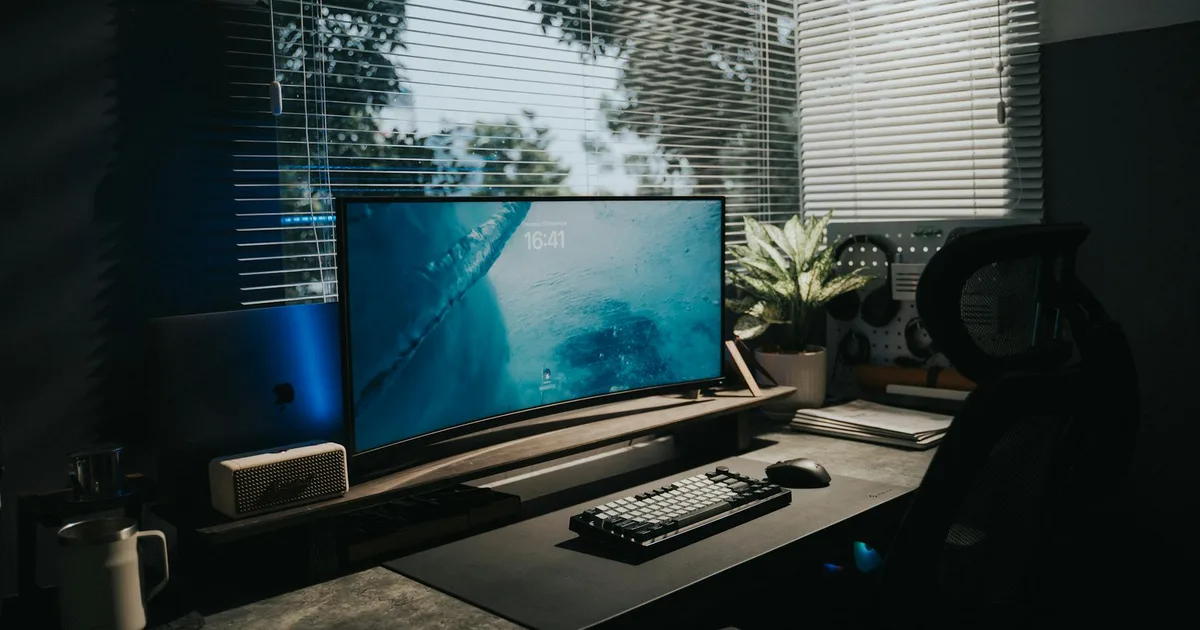
- Move your monitor so it's side-on to the window, not directly facing it or with the window behind you. This alone eliminates a lot of glare.
- Add a controllable desk lamp so you're not relying solely on ceiling lights. Being able to dim or adjust direction makes a real difference.
- If your overhead light flickers noticeably (common with older LEDs and cheap dimmers), replacing the bulb or dimmer switch is a cheap fix.
For light-sensitive people: Consider bias lighting - a strip of warm light attached behind your monitor. It reduces the contrast between the bright screen and a dark wall, which is a surprisingly effective way to reduce eye fatigue during long sessions.
Colour temperature matters too. Cooler, brighter light during the day can help with alertness; warmer, dimmer light in the evenings is easier on the eyes if you work late. Smart bulbs (such as Philips Hue) let you automate this without thinking about it each day.
Sound: speech is the main culprit
It might feel like all noise is equally distracting, but research is clear that irrelevant speech - someone talking nearby, a conversation on the TV - is especially disruptive to tasks that require concentration. Steady background noise (traffic, a fan) is usually far less problematic.
Quick wins:
- Seal gaps under doors and around windows. This is often higher-impact than acoustic panels.
- Add one soft surface: a rug, thick curtains, or even a bookcase full of books absorb sound and reduce the echoey, "live" feel of a bare room.
- If calls are the problem, test with noise-cancelling headphones. For many people, this is the single fastest fix.
For a more thorough treatment: Acoustic panels placed at the side walls (level with your ears) and behind you reduce reverb and make the room feel quieter. You don't need a professional setup - a couple of panels from a specialist like GIK Acoustics can make a meaningful difference in a medium-sized room.
A note on white noise: it helps some people, but actively irritates others - particularly those sensitive to tonal or fluctuating sounds. Test it before committing to a machine.
Smell and air quality: remove first, filter second
If you're smell-sensitive, the single most effective step is removal rather than masking. Air fresheners often replace one irritant with a cocktail of VOCs (volatile organic compounds) that can be more triggering than the original smell.
Quick wins:
- Remove plug-in air fresheners, scented candles, and strongly fragranced cleaning products from your workspace.
- Open a window for 10–15 minutes when you start work, especially after the room has been closed overnight.
- Avoid new furniture off-gassing - new MDF desks and foam chairs can emit VOCs for several weeks. Air them out thoroughly before use.
If you want to go further: An air purifier with both a HEPA filter (for particles and dust) and an activated carbon filter (for odours and VOCs) can make a real difference, particularly if you're sensitive to smells or have asthma. Size it to your room - undersized units don't do much.
Temperature: stability matters more than the exact number
Thermal comfort isn't one-size-fits-all, and this is especially true for many neurodivergent people who may run hotter or colder than average, or find temperature fluctuations genuinely distracting.
The key is stability and micro-control - rather than constantly adjusting the whole house thermostat, give yourself small, personal tools:
- A quiet desk fan aimed away from your face (so you get airflow without the draughty sensation)
- A heated footrest or blanket in winter
- A portable heater positioned behind you, not blowing directly at you
Avoid sitting directly under air vents or in line with a draughty window - these create intermittent temperature changes that are harder to adapt to than a consistent temperature you might not love.
Visual clutter: what you see from your chair is what matters
Research links cluttered environments to increased cortisol (the stress hormone) and reduced ability to focus. For people who are easily visually distracted, the desk surface and the wall directly in front of you deserve the most attention.
Quick wins:
- Clear your desk to "daily essentials only" - whatever you actually use in a working session. Everything else goes in a drawer or behind you.
- Route cables off the desk surface (cable clips and a small tray under the desk are enough).
- If your shelves are in front of you, put lower-visual-noise items there - plain boxes, files in neutral colours - rather than a dense collection of objects.
Some people find very sparse environments under-stimulating. If that's you, add one deliberate, calming item - a small plant, a single piece of art - rather than letting general clutter accumulate.
Ergonomics: discomfort is a sensory tax
Physical discomfort - back pain, wrist strain, sore neck - is a form of sensory load that runs continuously in the background. Sorting your posture and equipment fit pays dividends throughout the day.
The basics:
- Screen top at or just below eye level (use a stand or stack of books if needed)
- Elbows roughly at desk height, shoulders relaxed
- Chair supporting your lower back, feet flat on the floor (or a footrest)
- Screen roughly arm's length away
If you're tactile-sensitive, chair fabric is worth paying attention to. Mesh chairs tend to breathe better in warm rooms; some people find the texture easier to tolerate than foam.
Quick-wins checklist: do this in an afternoon
Here's what you can fix today, for little or no cost:
- [ ] Reposition your monitor side-on to the window
- [ ] Add or adjust a desk lamp for controllable task lighting
- [ ] Remove scented products from the room
- [ ] Ventilate for 10–15 minutes
- [ ] Add one soft surface (rug, curtain, or bookcase) to reduce echo
- [ ] Clear the desk surface to essentials only and hide cables
- [ ] Check chair height and screen position against the basics above
Once you've done the free stuff, identify your one biggest remaining problem - and invest in fixing just that first, whether it's a pair of noise-cancelling headphones, a better desk lamp, or an air purifier.
Maintenance: don't let it drift
Sensory setups have a habit of gradually degrading. Cables creep back, new items appear on the desk, the chair gets knocked out of position. A short weekly reset (10–15 minutes to clear the surface, wipe down with low-odour cleaner, check chair alignment) keeps things stable without much effort.
Every season, reassess glare - the sun's angle changes significantly, and what worked in winter may not work in summer.
Your home office doesn't need to be perfect. It needs to be yours - designed around the sensory environment your brain actually works best in, not a generic ideal. Start with your biggest annoyance, fix that, and build from there.
Looking for a remote role that works with your needs? Browse our neurodivergent-friendly remote jobs, or read our guide on requesting flexible working arrangements.